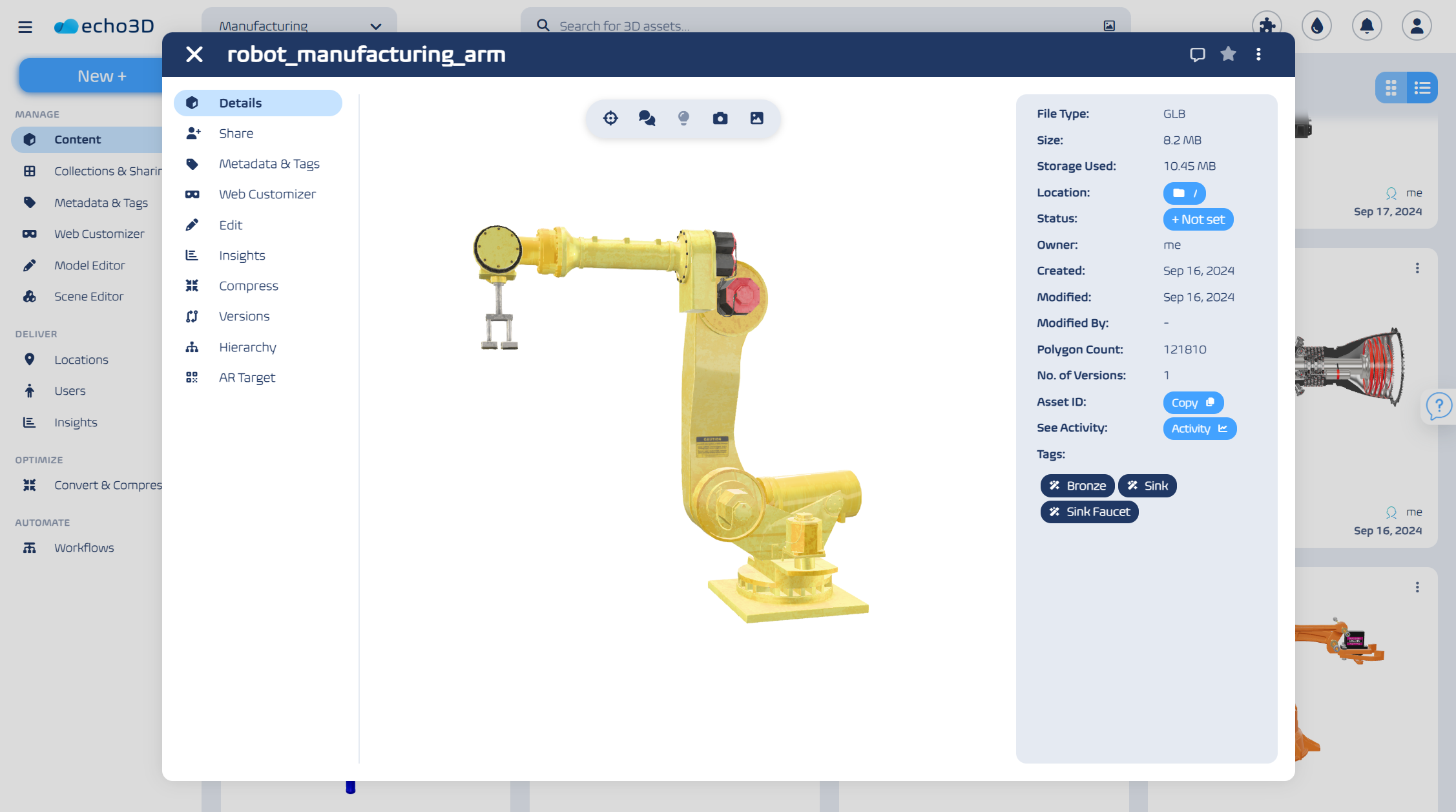
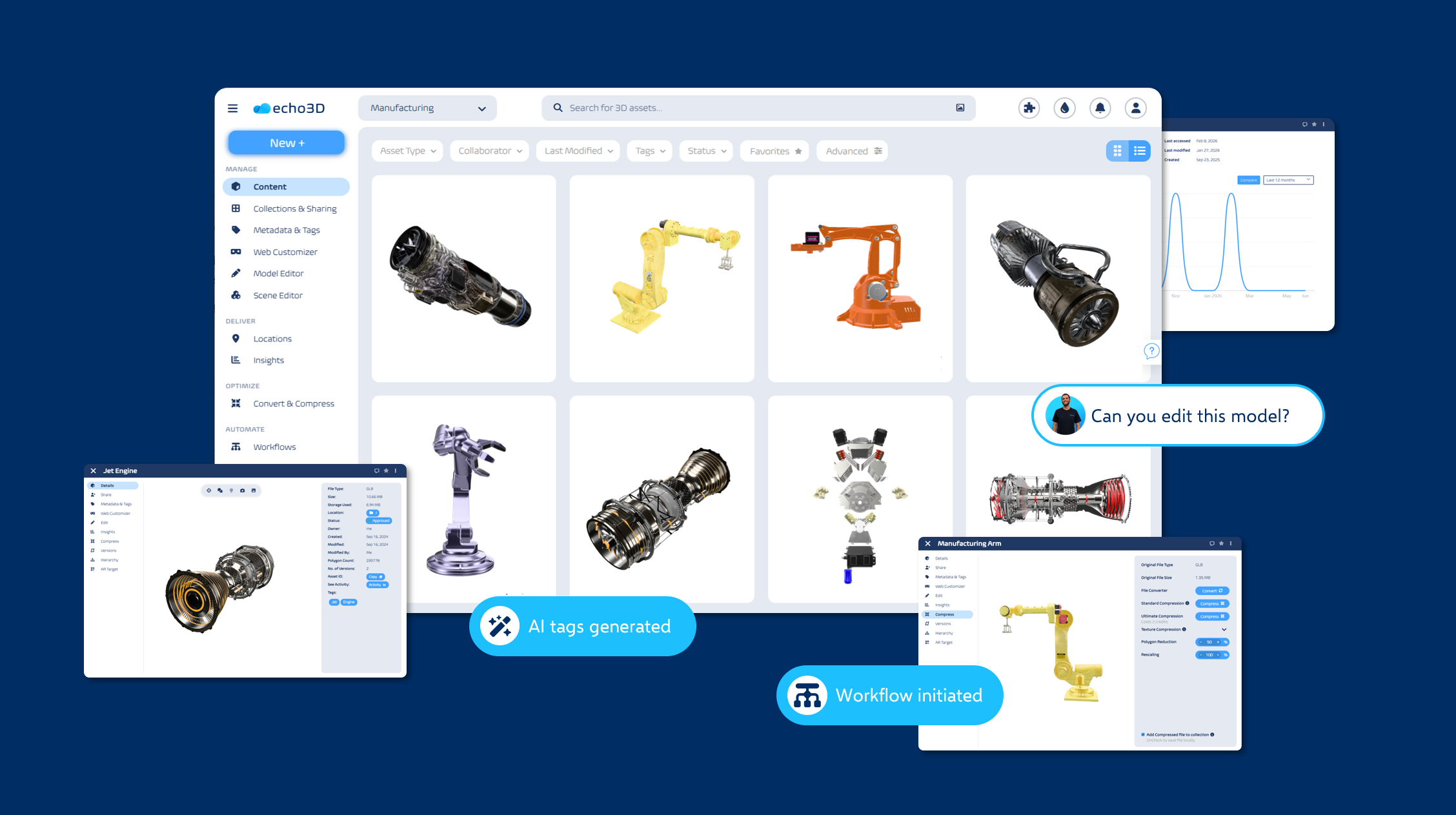
3d dam
digital asset management
3d workflow
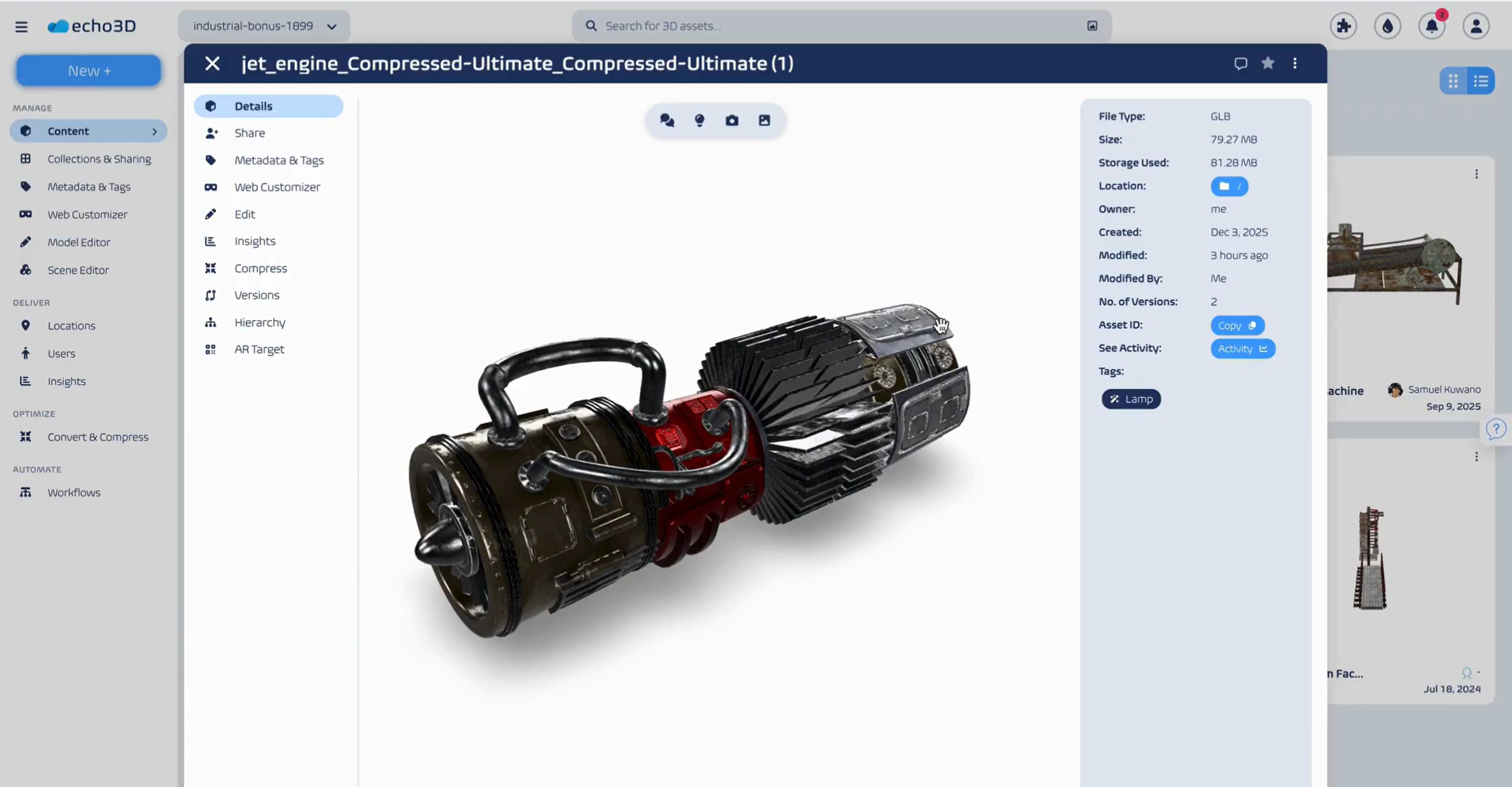

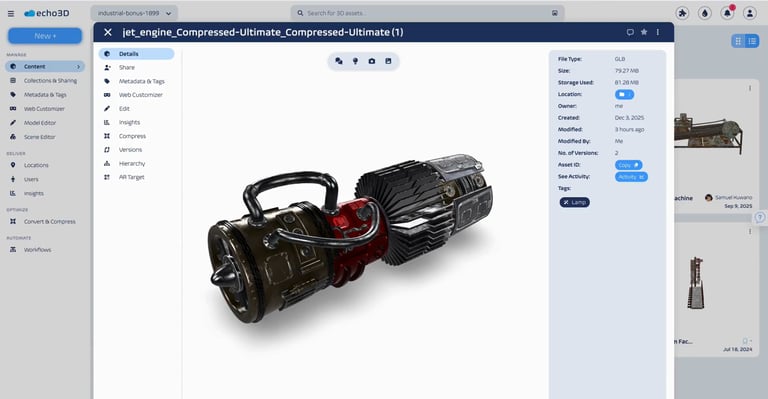 Keeping track of brand assets, creative files, and complex multimedia content can quickly become overwhelming. Spreadsheets and standard cloud folders break down at scale—especially when handling heavy 3D files and immersive content. This is where Digital Asset Management (DAM) comes in. Learn to streamline workflows, improve brand consistency, and ensure your content—whether 2D or 3D—works harder for your business.
Digital Asset Management (DAM) refers to the software and processes used to organize, store, retrieve, and manage digital content in a centralized repository. While traditionally focused on images and documents, modern DAM systems now handle complex 3D digital asset management, including digital twins, AR/VR models, and CAD files.
DAM systems make it easier to find and reuse content, maintain version control, and enforce usage rights. By applying metadata, permissions, and workflows, DAM platforms streamline how digital assets are accessed and shared across departments or with external partners. They replace disorganized storage systems and manual file tracking, helping organizations reduce content duplication and speed up production timelines.
A typical DAM system includes:
Centralized asset storage with structured folders and metadata tagging.
Advanced search capabilities based on keywords, file type (including .obj, .fbx, .glb), and more.
Role-based access control to manage user permissions.
Automated workflows for content approval and publishing.
Integration with creative tools, CMS, game engines, and marketing platforms.
Audit trails for asset usage and version tracking.
Rights and license management to ensure compliance.
-png.png?width=1920&height=1080&name=eCommerce%20Article%20(2)-png.png)
With the growing shift to digital transformation and the immersive web, organizations across all industries rely heavily on digital content to engage their audiences. As the volume of assets increases—particularly with the adoption of 3D files and spatial computing—so does the complexity of managing them.
Here is why a DAM solution should matter to you:
Efficiency: Say goodbye to endless searches. Quickly locate and retrieve assets using metadata, tags, and visual search capabilities.
Collaboration: Collaborate with your team globally. DAM enables real-time collaboration on complex files like digital twins, ensuring everyone works on the correct iteration.
Brand Consistency: Ensure that your brand assets are used consistently across all channels. DAM prevents the unauthorized use of outdated assets.
Cost Savings: Reduce duplication of effort and eliminate the cost of recreating lost assets (especially expensive 3D models). You will have a single source of truth for all content.
DAM systems handle a wide range of digital files, ensuring they are organized, accessible, and secure. While standard media is common, the ability to manage 3D digital assets is becoming a critical requirement.
3D Files: Models, meshes, textures, and scenes (e.g., FBX, OBJ, GLB, USDZ) used in gaming, eCommerce, and AR/VR.
Digital Twins: Virtual representations of physical objects or systems used in architecture, engineering, and industrial design.
Images: Photographs, graphics, illustrations, and design files (e.g., PNG, JPEG, PSD).
Videos: High-resolution videos, animations, and multimedia files (e.g., MP4, MOV).
Audio Files: Music tracks, voice recordings, and sound effects.
Documents: PDFs, Word files, presentations, and spreadsheets.
Brand Assets: Logos, style guides, and templates.
Metadata and Rights Management: Licensing agreements and asset usage guidelines.
Modern DAM software solutions must provide the following capabilities to handle the complexity of today's digital ecosystem.
Version control ensures that all updates to digital assets are documented. This is critical for 3D digital asset management, where a single model may undergo multiple iterations of rigging, texturing, and optimization. This feature prevents overwriting original files, allows users to track changes, and ensures teams access only the approved versions of digital twins or marketing assets.
Workflow automation streamlines the processes involved in managing assets. It enables task assignment, approval cycles, and asset distribution. For 3D workflows, this might mean automating the pipeline from a high-poly sculpt to a game-ready low-poly asset. Automation reduces human error and fosters accountability through automatic status updates.
Reporting features provide insights into asset utilization. These tools help organizations understand how content performs, offering data on where assets are accessed. For 3D files, analytics can reveal how often a model is viewed in AR or downloaded for development, supporting data-driven decisions on resource allocation.
Collaboration tools enable teams to work together regardless of location. These features allow multiple users to comment, share, and annotate assets in real time. For distributed teams working on digital twins or immersive experiences, these tools ensure stakeholders remain aligned and project timelines are adhered to.
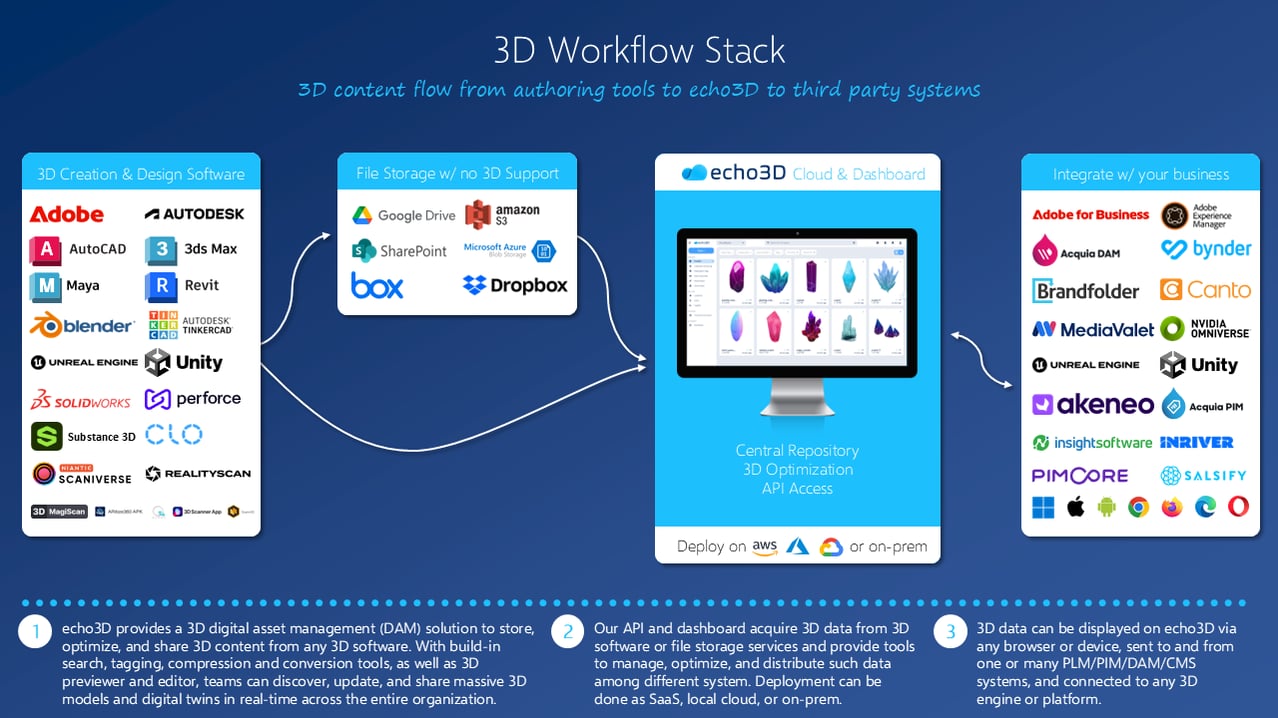
DAM systems are crucial for ensuring consistent distribution across platforms. By centralizing assets, organizations can repurpose content for web, mobile, and spatial computing devices. This is vital for 3D digital asset management, where a single 3D model may need to be deployed to a mobile app, a VR headset, and a desktop browser simultaneously.
In media and gaming, DAM systems handle massive libraries of video and 3D files. These assets need to be accessed quickly for editing and development. DAM enables streamlined workflows, often incorporating features like format conversion and version control to manage the complex pipelines involved in game development and visual effects.
For industries relying on digital twins, DAM provides a repository for CAD files and technical diagrams. It ensures that engineers and designers are working with the correct specifications and provides a secure environment for sensitive intellectual property.
DAM platforms provide centralized access to logos, images, and product models. This ensures marketing materials adhere to brand guidelines. With the rise of 3D commerce, marketers use DAM to quickly locate and deploy 3D product viewers to e-commerce pages, responding fast to market trends.
DAM systems play a vital role in managing usage rights. They track licensing information for stock models, textures, and media, preventing unauthorized use and reducing the risk of infringement.
Managing rich media presents challenges due to large file sizes and diverse formats. DAM systems are essential for organizing these heavy assets:
Storage and Organization: Centralizes storage for heavy video and 3D files, categorizing them with metadata to make retrieval instant.
Format Management and Conversion: Different platforms require specific file types. 3D digital asset management tools often include optimization and conversion capabilities (e.g., converting high-poly CAD to lightweight GLB for web), ensuring distribution across all channels.
Collaboration: Enables real-time review of video cuts or 3D model topology within the platform.
Distribution: Integrates with CMS and spatial platforms to enable easy publishing of videos and 3D models while maintaining brand compliance.
A well-integrated DAM should connect with your CMS, creative software (Adobe Creative Cloud, Blender, Maya), and game engines (Unity, Unreal). Scalability is vital; as you adopt digital twins and 3D files, your storage needs will grow exponentially. Choose a system that handles expanding libraries and complex file types without performance issues.
Metadata is the backbone of effective DAM. Define a strategy that includes:
Descriptive metadata: Title, keywords, creator.
Technical metadata: Polygon count, texture resolution, file format, animation length.
Rights metadata: Licensing and expiration.
Structured taxonomies ensure consistent tagging, allowing a product team to organize 3D assets by SKU or version efficiently.
Provide hands-on training tailored to user roles (e.g., 3D artists vs. marketing managers). Create guides and FAQs, and ensure the system has intuitive navigation and visualization tools (like 3D model viewers) to encourage adoption.
Digital libraries accumulate clutter. Establish a lifecycle process:
Archive outdated digital twins or previous model iterations.
Audit libraries to identify duplicate or heavy files taking up unnecessary space.
Version Control ensures teams avoid using deprecated assets.
Leverage analytics to track which 3D files or videos are most accessed. Understand search trends to refine metadata and identify high-performing content to optimize your immersive strategy.
-png.png?width=1920&height=1080&name=eCommerce%20Article%20(1)-png.png)
Unlike standard 2D images, 3D files require specific technical data (polygon counts, textures, rigging) to ensure they are compatible with the end platform (e.g., a VR headset vs. a mobile web browser).
You can use this structure as a baseline to configure your schema in echo3D or your preferred DAM.
Used for general searchability and identification by non-technical teams (Marketing, Sales).
| Field Name | Data Type | Examples / Notes |
| Asset Name | Text | Industrial_Pump_v2, Gaming_Avatar_Hero |
| Asset ID | Alphanumeric | Internal unique identifier (UUID) or SKU. |
| Description | Text Area | "High-fidelity digital twin of the centrifugal pump for Model X." |
| Keywords/Tags | Multi-Select | Industrial, Pump, Water, Low-Poly, Character |
| Brand/Project | Dropdown | Project Alpha, Spring Campaign 2025 |
| Category | Dropdown | Architecture, Characters, Props, Vehicles, UI Elements |
| Status | Dropdown | Draft, In Review, Approved, Archived, Deprecated |
Crucial for developers, 3D artists, and QA teams to ensure performance and compatibility.
| Field Name | Data Type | Examples / Notes |
| File Format | Dropdown | .glb, .gltf, .fbx, .obj, .usdz, .stl |
| Polygon Count | Number | Total triangle count (e.g., 15,000). Critical for performance budgeting. |
| Geometry Type | Dropdown | High-Poly (Cinematic), Low-Poly (Real-time/Game Ready), CAD (NURBS) |
| Dimensions | Text/Vector | Real-world scale (e.g., 2m x 1.5m x 5m). |
| Texture Quality | Dropdown | 1K, 2K, 4K, 8K, Untextured |
| Material Workflow | Dropdown | PBR (Metal/Rough), Specular/Gloss, Unlit, Mobile Diffuse |
| Rigging Status | Boolean | Yes (Has skeleton/bones), No (Static mesh) |
| Animation Count | Number | Number of embedded animation clips (e.g., Idle, Run, Jump). |
| Draco Compression | Boolean | True / False (Indicates if the geometry is compressed for web). |
Used to connect the 3D model to its physical counterpart and IoT data streams.
| Field Name | Data Type | Examples / Notes |
| Physical Serial # | Alphanumeric | The serial number of the physical object the twin represents. |
| IoT Device ID | Alphanumeric | The sensor ID linked to the object (for live data streaming). |
| Physical Location | Geo/Text | Building B, Floor 3, or GPS Coordinates. |
| Manufacturing Date | Date | Date the physical asset was created. |
| Maintenance Schedule | Date | Next scheduled service date for the physical asset. |
| Operational State | Dropdown | Active, Maintenance Mode, Offline, Decommissioned |
Ensures legal compliance and prevents unauthorized usage.
| Field Name | Data Type | Examples / Notes |
| Creator/Artist | Text | Name of the internal artist or external agency. |
| Source | Dropdown | In-house, Purchased, Freeware, Contractor |
| License Type | Dropdown | Royalty-Free, Rights Managed, Creative Commons, Proprietary |
| License Expiry | Date | When the rights to use this asset end. |
| Usage Restrictions | Text Area | "Internal use only," "Do not use in broadcast commercials." |
A DAM is only as good as its file naming. I recommend standardizing your 3D files with a "taxonomy-in-filename" approach so files are identifiable even outside the DAM (e.g., on a hard drive).
Structure: [Project]_[Category]_[AssetName]_[PolyCount]_[Version].[Extension]
Examples:
Auto_Vehicle_SedanSport_LowPoly_v03.glb
Arch_Interior_ChairOffice_HighPoly_v01.fbx
DT_Pump_CentrifugalX_CAD_vFinal.obj (DT = Digital Twin)
As 3D files and digital twins become the most powerful asset types for engagement and innovation, traditional DAM solutions often fall short. That’s where echo3D comes in—purpose-built to deliver enterprise-grade 3D digital asset management at scale.
echo3D goes beyond basic asset storage. It enables organizations to manage, update, and stream 3D content to any device or platform in real-time. Whether you are managing digital twins for industry, 3D assets for gaming, or AR marketing campaigns, echo3D’s cloud platform adapts to your needs without disrupting existing workflows.
echo3D’s features are optimized for spatial and 3D-heavy workflows:
Upload and Store: Handle any 3D file format (obj, fbx, glb, etc.) or size, with automatic optimization for distribution.
3D Conversion & Compression: Automatically convert and compress assets to ensure they run smoothly on mobile, web, and headsets.
Advanced Search & Management: Tag, organize, and retrieve 3D assets and digital twins easily with a visual-first interface.
Stream to Anywhere: deliver content to smartphones, VR headsets, and web browsers instantly via the cloud, bypassing large app downloads.
Editing Capabilities: Modify 3D assets directly within the platform—adjusting lighting, textures, or scale—no third-party tools required.
Security: Secure access control ensures sensitive IP and proprietary models stay protected.
Whether it involves version control for complex models or automated publishing to game engines like Unity and Unreal, echo3D simplifies collaboration. Built-in analytics give you deep visibility into how your 3D assets are performing geographically and across devices.
With support for a secure infrastructure and seamless integration, echo3D ensures your DAM system grows with your immersive needs. From e-commerce to industrial digital twins, echo3D brings agility to your 3D strategy.
When it comes to managing 3D files at scale, echo3D isn’t just compatible with your DAM strategy—it is your DAM strategy.
Ready to see how a platform built on these principles can transform your workflow? Discover how echo3D provides a secure, compliant, and AI-powered environment for managing and collaborating on 3D and other visual assets.